AI Image Editor
Say what to change in a photo. The AI image editor hands it back edited, then you keep going.
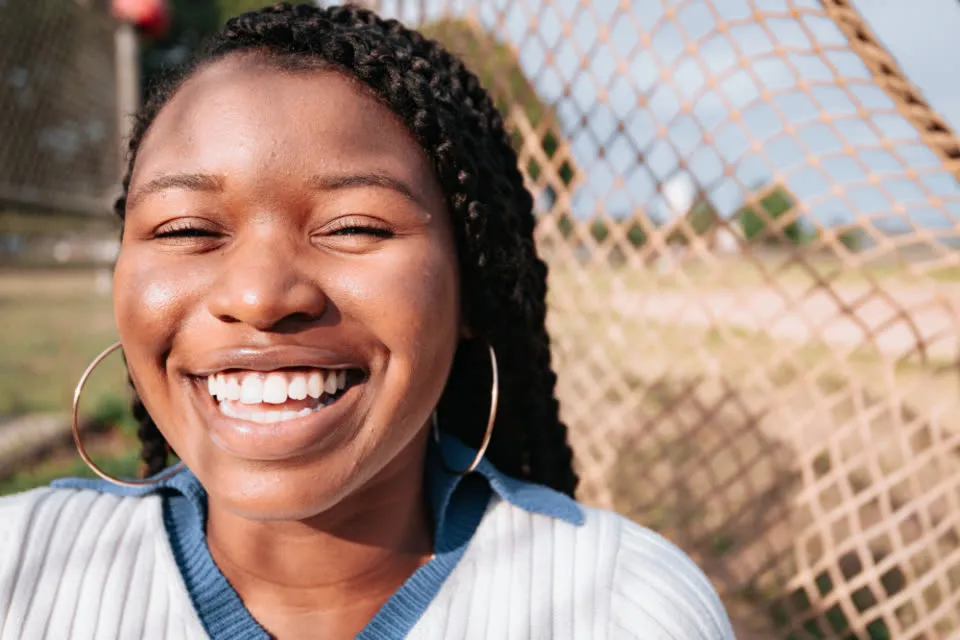
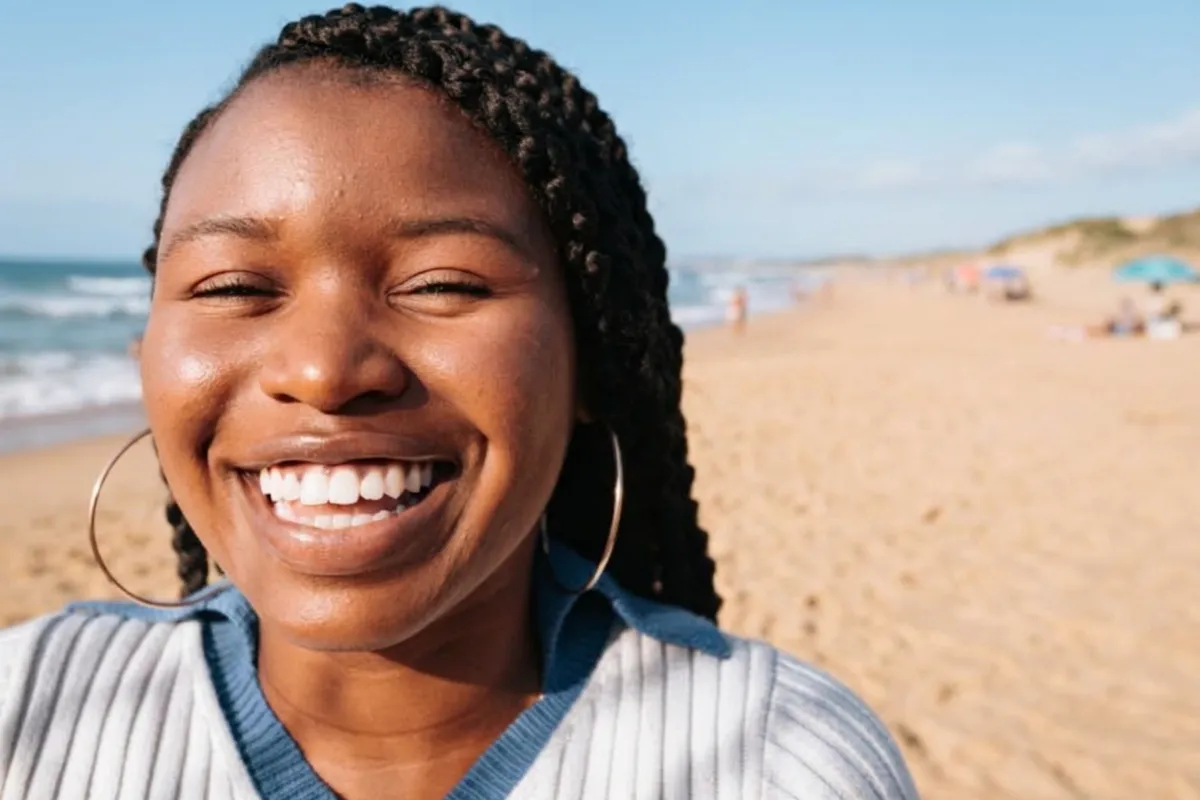 BeforeAfter
“sunny beach behind her”
Real edits on Nano Banana 2.1, first try. Drag the handle to compare.
Real edits, first try
Every pair below came from one instruction to the AI image editor on Nano Banana 2.1, the default model, with no retouching afterwards. Drag across a photo to compare, or run the same instruction in the AI image editor on your own picture.
- sunny beach behind her
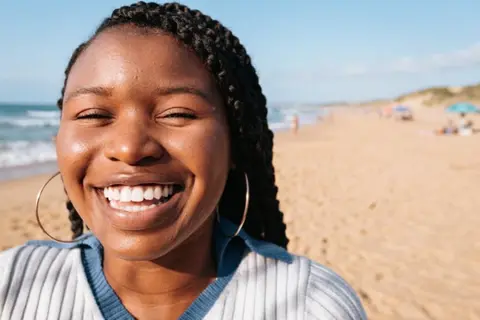 Background14s
Change the background to a sunny beach. Keep her face, hair, earrings and sweater exactly the same.
- fix it + add color
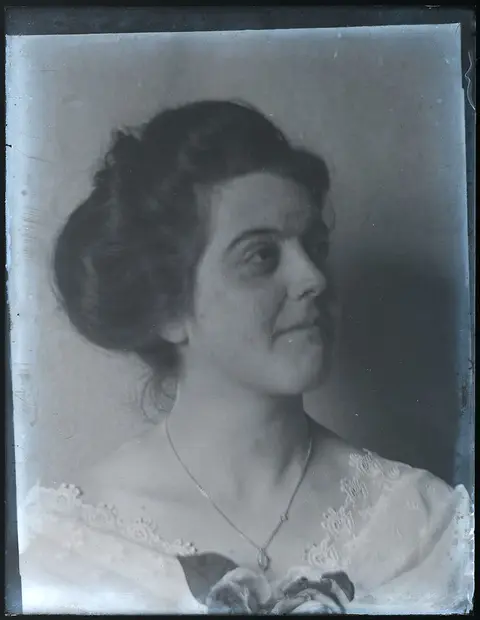
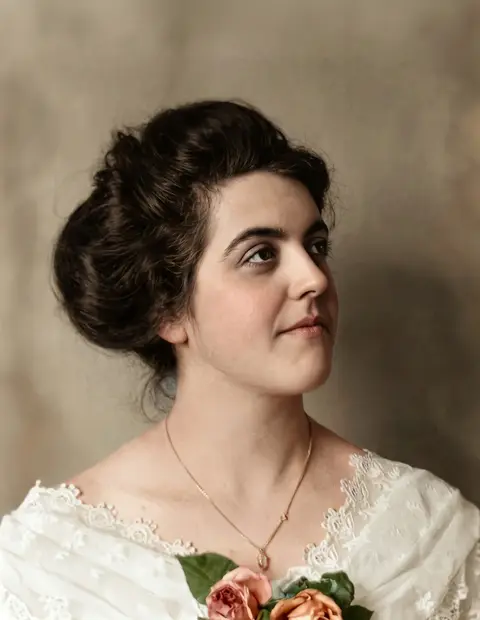 Restore27s
Restore this old photo: remove scratches and dust, sharpen the face and add natural, realistic color.
- red scarf & beanie
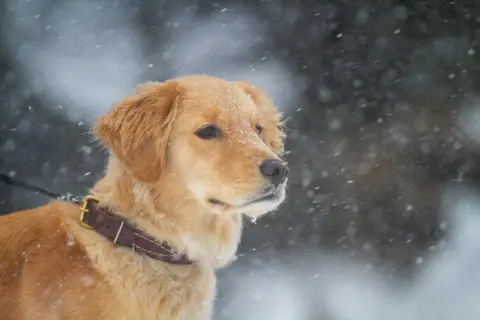
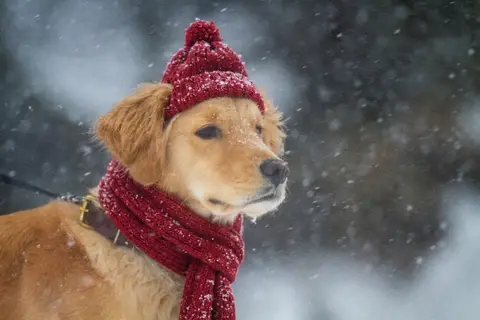 Add objects14s
Put a red knitted scarf and a small red beanie on the dog. Keep everything else the same.
- marble counter, morning light
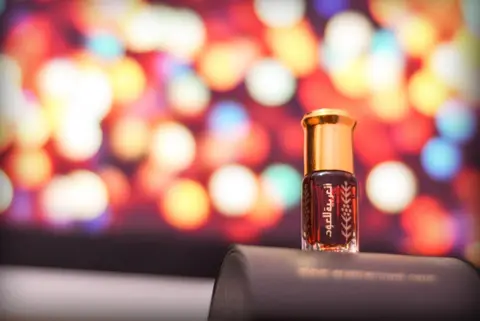
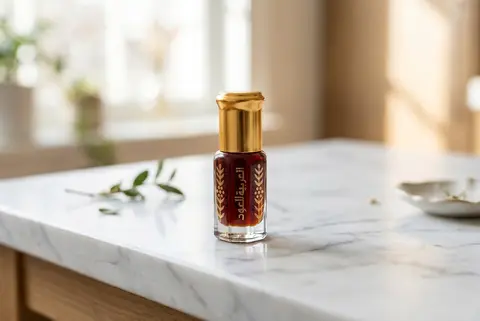 Product photo14s
Place the perfume bottle on a white marble counter in soft morning window light, clean product photo.
- watercolor, please
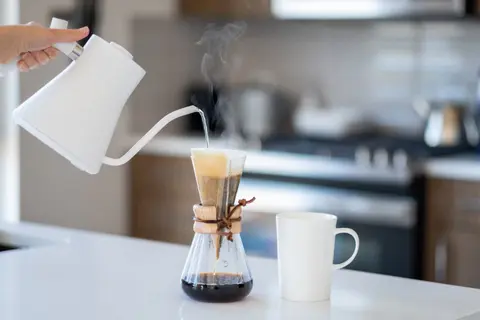
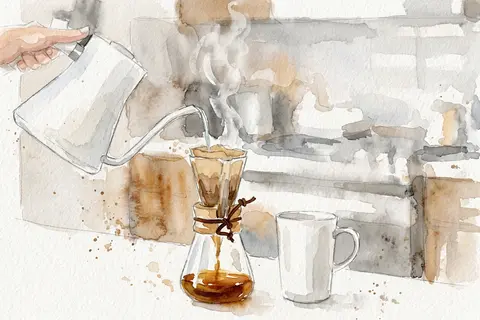 Style17s
Turn this photo into a loose watercolor illustration on textured paper.
- make it autumn
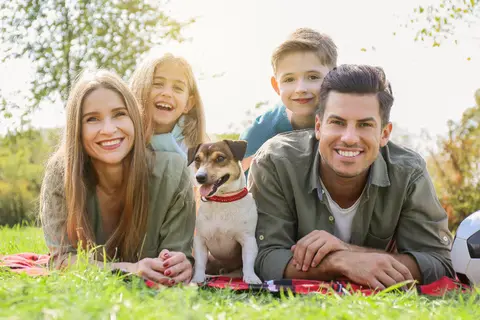
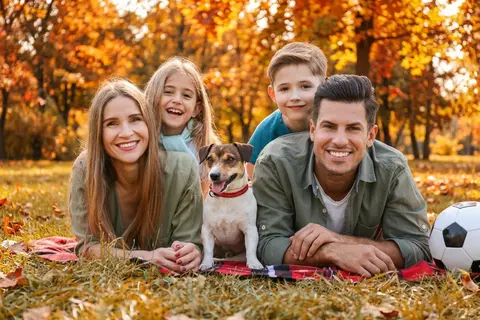 Scene17s
Change the season to autumn: orange and yellow leaves on the trees and on the grass. Keep the family and the dog the same.
- just the shoes, on white
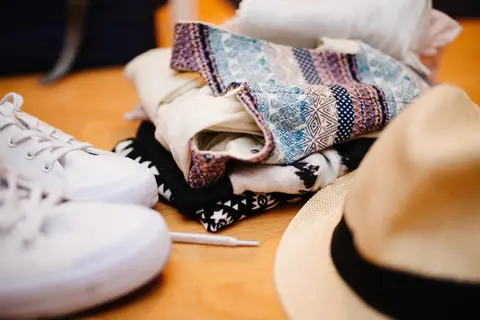
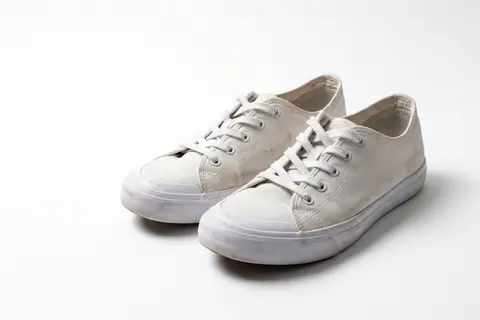 Product photo20s
Remove the clothes and the hat. Show only the white sneakers on a clean pure white background with a soft shadow.
- lose the 2 kids behind

 Remove14s
Remove the two children in the background (left and right) and fill the space naturally. Keep the couple exactly the same.
How the AI image editor works
- 1
Upload a photo
A portrait, a product shot, an old scan: the AI image editor takes JPG, PNG or WEBP from your phone or computer.
- 2
Write the change
“Remove the people behind us.” The AI image editor needs plain words, not masks or layers.
- 3
Keep going
The AI image editor makes each result the next starting point. Undo any step, download the one you like.
What people edit
The AI image editor handles many everyday jobs you would otherwise open Photoshop for. These are the jobs people bring to the AI image editor most.
Free AI image editor, no sign-up
The first edit in the AI image editor needs no account or card. Sign in and the AI image editor usually adds free credits.
AI image editor online
Nothing to install: this AI image editor online works in any modern browser, on a laptop or a phone.
AI image editor with text prompts
No brushes or masks. Type the change and the AI image editor finds the part of the photo to touch.
AI image editor for backgrounds
A beach, marble, or pure white. The AI image editor keeps the person the same and changes only the background.
Remove people and objects
Strangers, bins, power lines: the AI image editor removes them and fills the gap naturally.
AI image editor for old photos
Scratches, dust and fading on a scanned print. The AI image editor repairs it and adds natural color.
AI image editor for product photos
Shoot the product on a kitchen table; the AI image editor moves it onto a clean studio background with soft light.
Add or swap things
A hat on the dog, a new jacket color. The AI image editor matches the light and angle of the photo.
AI image editor for art styles
Watercolor, pencil sketch, film still: in the AI image editor each style is one sentence.
AI image editor for seasons and light
Summer to autumn, day to golden hour. The AI image editor keeps the people and changes the scene.
Edit the result, not the original again
Many tools send you back to the start for every change. In this AI image editor each edit stacks on the last one, like a real retouch session.
Step-by-step edits
Background first, then the color, then remove the stranger. The AI image editor builds each instruction on the last result.
Undo anything
Jump back to any step or to the original photo and continue from there in the AI image editor; later steps are replaced.
A link for every step
Each result in the AI image editor has its own page, so the back button, bookmarks and sharing just work.
No watermark
Download the full image the AI image editor returned. Failed edits refund their credits.
Two models, one AI image editor
Switch models per edit in the AI image editor. The price of each edit shows next to the model before you run it.
Nano Banana 2.1
defaultBest at keeping faces and details. Recommended.
1 credit per edit
GPT Image 2.6
Reimagines more freely; slower (about a minute) and may change faces.
2 credits per edit
Writing a good instruction
The AI image editor follows what you write quite literally. A few habits get a good result from the AI image editor on the first try.
- 1
Say what to keep
“Keep her face the same” stops the AI image editor from touching what you like.
- 2
One change per step
Ask the AI image editor for the background first, then the color. Small steps are easy to undo.
- 3
Be specific
“A sunny beach with turquoise water” beats “somewhere nice”. The AI image editor responds to colors and light.
- 4
Point at things
Tell the AI image editor where: “the two kids on the left”.
- 5
Try the other model
GPT Image 2.6 in the same AI image editor takes bigger creative liberties for 2 credits.
Pricing
Your first AI image editor edit is usually free with no account, and most new accounts get 5 free credits when they sign in. 1 credit = 1 edit with Nano Banana 2.1, and failed edits are refunded automatically.
Pay once. No subscription, no renewal.
Starter pack
$4.99once
40 credits · $0.12 per edit
Buy 40 credits- 40 edits with Nano Banana 2.1 (or 20 with GPT Image 2.6)
- Credits never expire
- Downloads at full output size, no watermark
- Failed edits refunded automatically
- Every step saved for 365 days
- Most popular
Standard pack
$9.99once
100 credits · $0.10 per edit
Buy 100 credits- 100 edits with Nano Banana 2.1 (or 50 with GPT Image 2.6)
- Credits never expire
- Downloads at full output size, no watermark
- Failed edits refunded automatically
- Every step saved for 365 days
Plus pack
$19.99once
250 credits · $0.08 per edit
Buy 250 credits- 250 edits with Nano Banana 2.1 (or 125 with GPT Image 2.6)
- Credits never expire
- Downloads at full output size, no watermark
- Failed edits refunded automatically
- Every step saved for 365 days
- Secure checkout by Stripe
- Credits arrive right after payment
- Failed edits cost nothing
- Visa
- Mastercard
- Amex
- Apple Pay
- Google Pay
- Link
Questions
How does this AI image editor work?
Upload a photo and write what should change. The AI image editor returns the edited picture in 15 to 30 seconds on the default model (about a minute on GPT Image 2.6), and your next instruction applies to that result.
Is the AI image editor free?
Your first edit in the AI image editor is usually free, with no account (one per device). Most new accounts then get 5 more free edits when they sign in with Google; after that, buy a pack from $4.99 or a monthly plan. Failed edits are refunded.
Is there an AI image editor app?
No app needed. The AI image editor runs in the browser on a computer, iPhone or Android phone, and downloads results straight to your device.
Can I undo an edit in the AI image editor?
Yes. Undo, redo and Ctrl+Z walk through your steps, and the AI image editor lists every step under the image. Pick any of them, including the original, and edit from there.
What files does the AI image editor accept?
The AI image editor accepts JPG, PNG and WEBP up to 10 MB. The result keeps your photo's shape unless you pick square, 4:3, 3:4, 3:2, 2:3, 16:9 or 9:16.
Who can see photos I upload to the AI image editor?
Each saved step in the AI image editor gets a private link. Anyone with it can see that step, the steps before it and your original photo, but the link is never listed or indexed. Images are deleted after 365 days, or when you delete your account.
What does the AI image editor struggle with?
Like other AI editors it can get small text, hands and precise layouts wrong. If a result misses, tell the AI image editor what to keep and what to change, or undo and try the other model.
What won't the AI image editor do?
Everything sent to the AI image editor passes a safety check. Nudity and sexual edits, graphic violence, self-harm and threats are blocked, and a blocked instruction costs nothing.
about 20 seconds per edit
What would you change?
Upload a photo and the AI image editor does the rest.
Open the AI image editor